Customer Fields Update: Redesigned and Updated UI

We’re excited to announce a major update to Customer Fields that brings the app directly into your Shopify admin. We’ve completely rebuilt the app's interface using the latest Shopify Polaris standards, making it faster, more intuitive, and perfectly integrated with your daily workflow.
This update is all about creating a more seamless and unified experience. You no longer need to load a separate, full-screen app. Customer Fields now feels like a native part of your Shopify dashboard, so you can manage your customer data without ever leaving the admin.
Notable updates
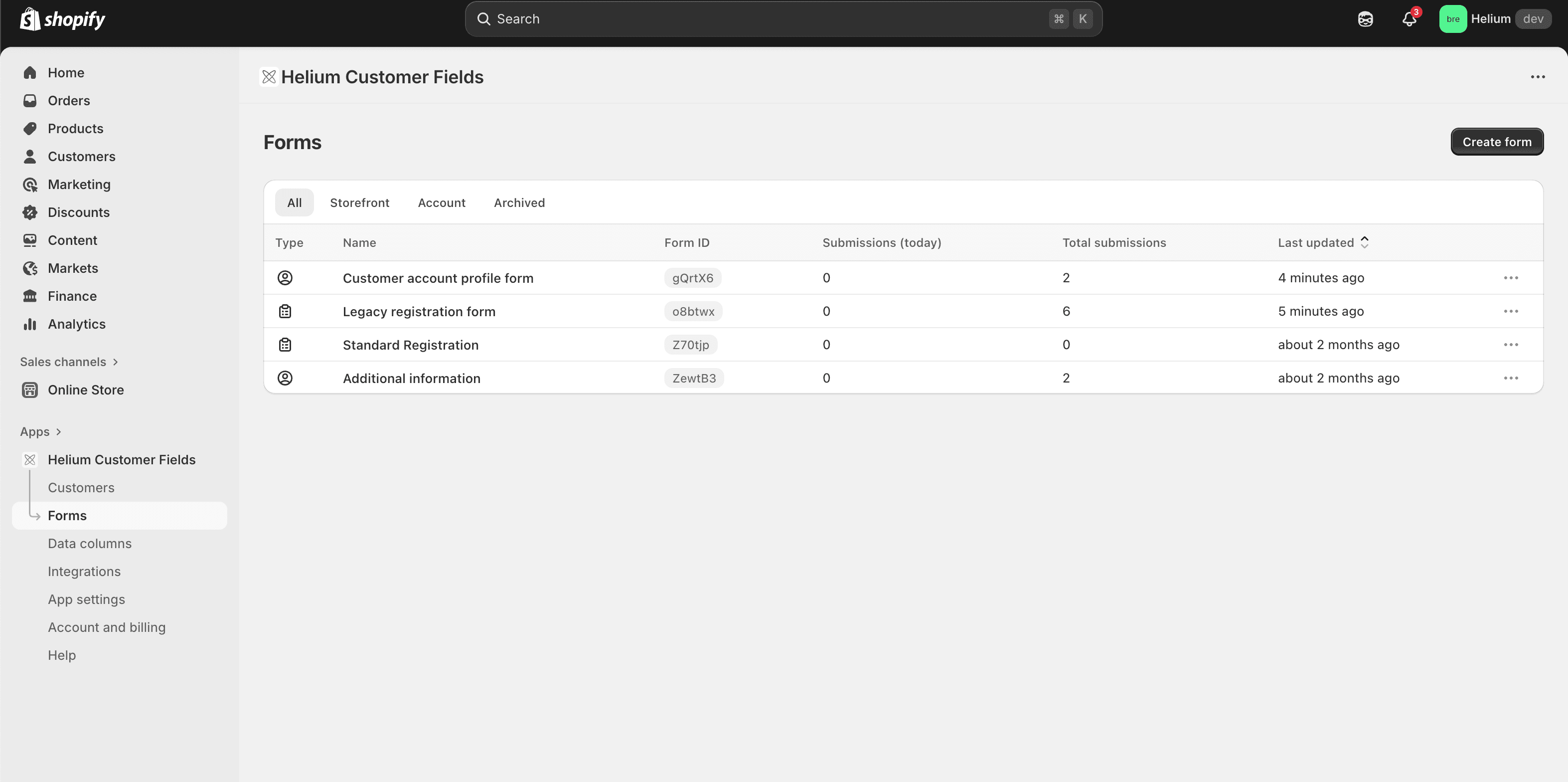
A better view of your forms
We've redesigned the main "Forms" page to make management easier. All your forms are now organized in a clean table layout. This new index page lets you find, edit, and manage your forms more quickly and efficiently.
A new home for your customer data
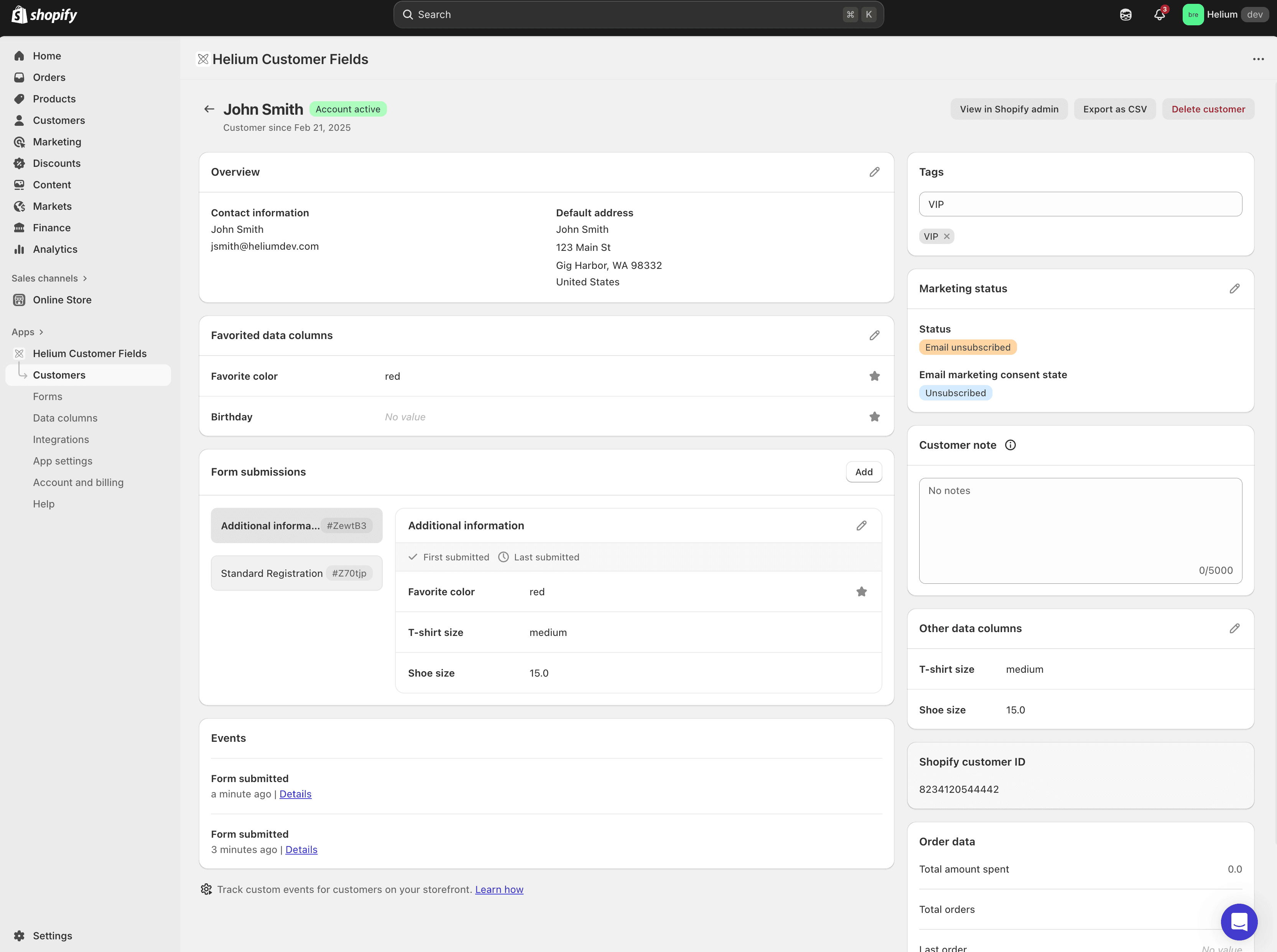
The customer details page has been completely overhauled. This new design provides a much clearer and more organized view of all the custom data and form submissions associated with a specific customer. You can see all the information you've collected at a glance, helping you get a complete picture of your customer.
New limitation
To align more closely with Shopify's core functionality, we’ve made a few adjustments to how you add customers within the app.
Adding a new customer
The ability to manually add a new customer from scratch has been updated. The app now links directly to Shopify's native "Add customer" page. This ensures all new customers are created in Shopify's core system first, preventing data sync issues.
Here is the new recommended workflow:
- From the Customer Fields app, click the "Add customer" button.
- You will be taken to Shopify's native "Add customer" page. Fill in the customer's details and save.
- Once the customer is saved, you can use the "More actions" menu on their Shopify customer profile and select the Customer Fields quick link to jump directly to their new profile in the app.
Check out the update today
This update is now live for all merchants. Open the Customer Fields app in your Shopify admin to experience the new, integrated design. We're confident these changes will make managing your customer data simpler and more efficient.
Haven't tried Customer Fields yet?
If you don't already have the Customer Fields app for Shopify, take advantage of our 14 day free trial to try it out now!
